Mastering Database Transactions with Entity Framework Core

This article explores a crucial aspect of database management: database transactions using Entity Framework Core. Assume you already have a basic .NET application that performs create, update, and delete operations. Now, it's time to understand how to ensure the integrity of our operations, especially when dealing with multiple database changes.
Understanding Database Transactions: The "All or Nothing" Principle
At its core, a database transaction is a unit of work. This means that a series of database operations are treated as a single, indivisible unit. Either all the operations within the transaction are successfully completed and committed to the database, or none of them are. If even one operation fails, the entire transaction is rolled back, leaving the database in its original state.
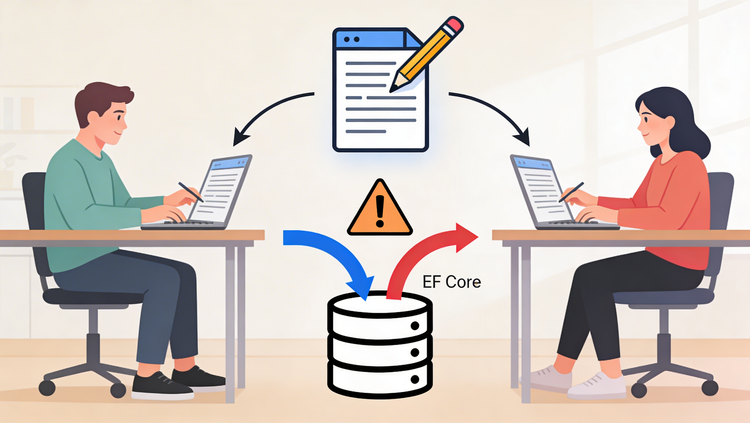
Why is this so important? Imagine a complex operation that involves adding a new record to one table, updating another, and then deleting a third. If, for instance, the update operation fails after the record has been added, you'd end up with orphaned data – a record in one table without its corresponding related data. This is incredibly dangerous and can lead to data inconsistencies and application errors. Transactions prevent this by ensuring that such a scenario never happens.
Entity Framework Core's Built-in Transactional Behavior
The good news is that Entity Framework Core (EF Core) already has built-in transactional capabilities. When you call SaveChanges(), EF Core wraps those changes in a transaction by default. This means that if any of the individual SaveChanges operations fail, the entire batch of changes is rolled back.
Consider the following example. Suppose we want to add a new league and then add a new team to that league.
// Adding a new league
var newLeague = new League { Name = "Premier League" };
context.Leagues.Add(newLeague);

// Adding a new team to that league
var newTeam = new Team { Name = "Manchester United", LeagueId = newLeague.LeagueId }; // Assuming LeagueId is available after SaveChanges
context.Teams.Add(newTeam);

context.SaveChanges(); // This single call is transactional
In this scenario, if context.SaveChanges() fails for any reason (e.g., a constraint violation, a network error), both the newLeague and newTeam additions will be rolled back.
When Default SaveChanges Isn't Enough: The Need for Manual Transactions
While SaveChanges() provides transactional behavior, there are specific scenarios where you need more granular control. A common situation arises when you need to save one entity first to obtain its generated ID, which is then required to create another related entity.
Consider adding a league, then adding teams associated with it. To link a team to a league, you need the LeagueId. If the league doesn't exist yet, you can't assign its ID to the team. This necessitates a two-step save process:
- Save the league: This will generate the
LeagueId. - Use the
LeagueIdto create and save the team(s).
The implementation would look like this:
// Add the league first to get its ID
var newLeague = new League { Name = "La Liga" };
context.Leagues.Add(newLeague);
context.SaveChanges(); // Save the league to get its ID

// Now use the LeagueId to add teams
var team1 = new Team { Name = "Real Madrid", LeagueId = newLeague.LeagueId };
var team2 = new Team { Name = "Barcelona", LeagueId = newLeague.LeagueId };

context.Teams.AddRange(team1, team2);
context.SaveChanges(); // Save the teams
The problem here is that if the second SaveChanges() call (for the teams) fails, you'll have a League record in the database with no associated Teams. This is precisely the kind of situation where a full transaction is needed to ensure that either both parties succeed or neither does.
Introducing Manual Transactions with BeginTransaction()
To handle these complex scenarios, EF Core allows you to manage transactions manually. You can explicitly start a transaction, perform multiple SaveChanges operations within it, and then either commit or roll back the entire transaction.
A manual transaction can be initiated as follows:
using (var transaction = context.Database.BeginTransaction())
{
    try
    {
        // Perform your database operations here
        var newLeague = new League { Name = "Serie A" };
        context.Leagues.Add(newLeague);
        context.SaveChanges(); // This is like a temporary commit within the transaction

        var team1 = new Team { Name = "Juventus", LeagueId = newLeague.LeagueId };
        var team2 = new Team { Name = "Inter Milan", LeagueId = newLeague.LeagueId };
        context.Teams.AddRange(team1, team2);
        context.SaveChanges(); // Another temporary commit within the transaction

        // If all operations succeeded, commit the transaction
        transaction.Commit();
        Console.WriteLine("Transaction committed successfully!");
    }
    catch (Exception ex)
    {
        // If any operation failed, roll back the transaction
        transaction.Rollback();
        Console.WriteLine($"Transaction rolled back due to error: {ex.Message}");
        // Log the exception or handle it appropriately
    }
}
In this pattern:
context.Database.BeginTransaction()starts a new transaction.context.SaveChanges()within thetryblock acts as a temporary commit. The changes are staged and visible within the scope of this transaction, but they aren't permanently written to the database untiltransaction.Commit()is called.transaction.Commit()finalizes all the changes made sinceBeginTransaction()was called.transaction.Rollback()discards all changes made sinceBeginTransaction()if an exception occurs.
The Power of Save Points (Checkpoints)
Sometimes, you might want a transaction to have save points or checkpoints. This allows you to roll back to a specific point within a larger transaction, rather than discarding everything.
Consider a scenario where the league must be saved even if team creation fails, but if adding the teams fails, you'd rather have no teams than have a league with no teams. You can create a save point after the league is saved.
using (var transaction = context.Database.BeginTransaction())
{
    try
    {
        // Add the league
        var newLeague = new League { Name = "Bundesliga" };
        context.Leagues.Add(newLeague);
        context.SaveChanges(); // Save the league

        // Create a save point after successfully saving the league
        // We'll name it "LeagueSaved"
        await transaction.CreateSavepointAsync("LeagueSaved");

        // Now try to add the teams
        var team1 = new Team { Name = "Bayern Munich", LeagueId = newLeague.LeagueId };
        var team2 = new Team { Name = "Borussia Dortmund", LeagueId = newLeague.LeagueId };
        context.Teams.AddRange(team1, team2);
        context.SaveChanges(); // Save the teams

        // If everything succeeded, commit the entire transaction
        await transaction.CommitAsync();
        Console.WriteLine("Transaction committed successfully!");
    }
    catch (Exception ex)
    {
        Console.WriteLine($"An error occurred: {ex.Message}");
        // If an error occurred, try to roll back to the "LeagueSaved" save point
        // If the rollback to save point fails, it will then attempt a full rollback
        try
        {
            await transaction.RollbackToSavepointAsync("LeagueSaved");
            Console.WriteLine("Rolled back to the 'LeagueSaved' save point.");
            // Optionally, you might still want to log this specific rollback scenario
        }
        catch (Exception rollbackEx)
        {
            Console.WriteLine($"Failed to roll back to save point, performing full rollback: {rollbackEx.Message}");
            await transaction.RollbackAsync(); // Full rollback if rollback to save point fails
        }
    }
}
With save points:
await transaction.CreateSavepointAsync("SavePointName")marks a specific point in the transaction.await transaction.RollbackToSavepointAsync("SavePointName")in thecatchblock allows you to revert the transaction to the named save point. If this operation itself fails, a full rollback can be attempted.
Refactoring for Clarity: Transactional Examples
For clarity, these patterns are often separated into distinct methods. You'll find the original AddNewLeague method, a AddNewLeagueTransaction method demonstrating a standard manual transaction with Commit and Rollback, and an AddNewLeagueTransactionWithRollback method showcasing the use of save points for more granular control.
These examples provide concrete code snippets you can adapt to your own projects, helping you implement robust data management strategies.
Key Takeaways
To wrap things up, remember these key points about database transactions with Entity Framework Core:
- Atomicity is King: Transactions ensure that operations are atomic – they either all succeed, or all fail. This is fundamental for data integrity.
SaveChanges()is Transactional by Default: EF Core automatically wrapsSaveChanges()calls in a transaction.- Manual Control is Powerful: Use
context.Database.BeginTransaction()for scenarios requiring multipleSaveChangescalls that must succeed or fail together. - Save Points for Granularity:
CreateSavepointAsync()andRollbackToSavepointAsync()offer sophisticated control, allowing you to revert to specific intermediate states within a transaction. - Context Matters: Transactions are tied to a specific
DbContextinstance. If you're working with multiple contexts, each might have its own transactional object.
By understanding and implementing these transactional patterns, you can build more reliable and resilient applications that safeguard your valuable data.





Member discussion